文本溢出处理
单行文本溢出(整行)
效果:
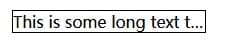
html
<div class="test">This is some long text that will not fit in the box</div>css
div.test{
 white-space:nowrap;
 width:12em;
 overflow:hidden;
 border:1px solid #000000;
    text-overflow:ellipsis;
}
非整行文本溢出
效果:
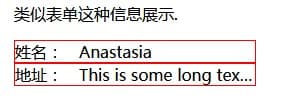
html
<div class='table'>
 <div class="test label">姓名:</div>
 <div class="test value">Anastasia</div>
</div>
<div class='table'>
 <div class="test label">地址:</div>
 <div class="test value">This is some long textThis is some long textThis is some long text</div>
</div>
css
div.table{
 display:table;
 table-layout:fixed;
 border:solid 1px red;
 width:15em;
 }
div.test
{
 display:table-cell;
}
div.label{
 width:4em
}
div.value{
 white-space:nowrap;
 text-overflow:ellipsis;
 overflow:hidden;
}
这里的几种设置和第一种是一样的,同样需要设置 white-space、width、overflow,但由于用到了 table 的布局方式,table td 的流动性,表格的宽度是跟随单元格内容多少自动计算尺寸,所以这里需要给 table 添加table-layout:fixed。
多行溢出(谷歌浏览器)
效果
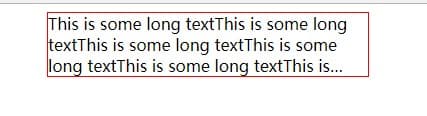
html
<div class="test" style="-webkit-box-orient:vertical;">This is some long textThis is some long textThis is some long textThis is some long textThis is some long textThis is some long textThis is some long textThis is some long textThis is some long textThis is some long textThis is some long textThis is some long text</div>
css(注意 css 书写的顺序)
div{
  text-overflow: ellipsis;
  margin: auto;
  width: 20em; /*指定宽度*/
  display: -webkit-box;
 -webkit-box-orient: vertical;
 -webkit-line-clamp: 3;
 overflow: hidden;
}